

One dashboard for every product test
Decathlon tests its products with real people before they reach the shop. Application Facilité is the internal tool where test leaders prepare those tests, run them, and compare the results. We designed it, from the user journey to a tested second version.
About the data: all figures, scores and product details in the screens on this page have been changed. They are examples, not real test results, so that the privacy of the client and the people tested is protected.
- Client
- Decathlon
- Product
- Application Facilité, internal web app
- Users
- Test leaders who run usability tests of products
- Period
- November to December 2024
- Our role
- User journeys, user flow, low and high fidelity design, a task-based test, the second version, component kit
- Team
- Judith Van de Velde (Juwix), with Decathlon engineers, the product test lead and developers
- Languages
- French and English interface
- Tools
- Figma
- Deliverables
- See the full list
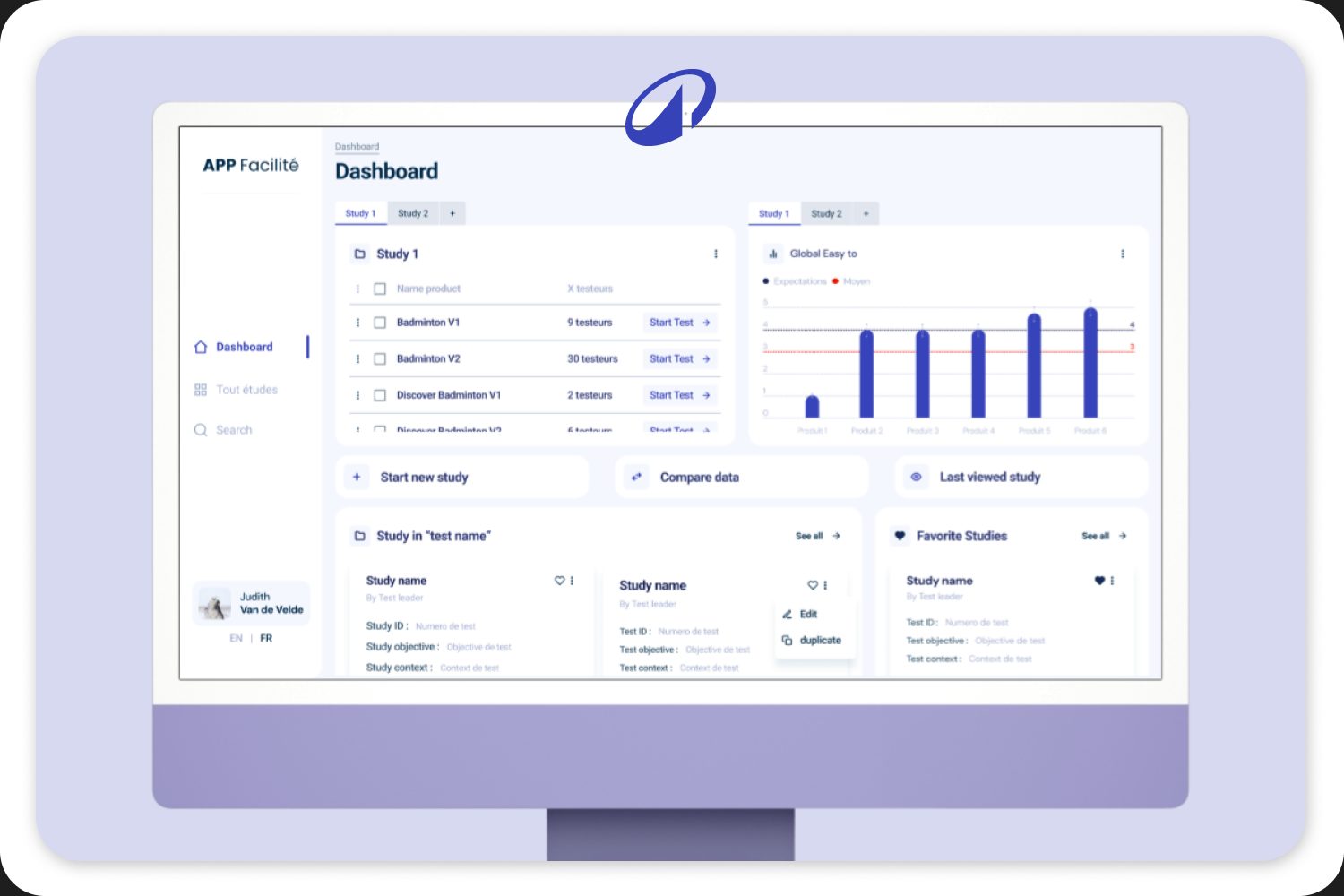
In short
- Challenge: test leaders needed one place to prepare a product test, run it with a tester, and compare results across products.
- What we did: two user journeys and a user flow, low fidelity for every step, a high fidelity design, a task-based test of it, and a second version.
- Result: a complete design for the tool, from creating a study to exporting a comparison. The tool was built and is now used by the test team.
The challenge
Before a product reaches the shop, Decathlon lets people test it: can they set it up, use it, put it away? A test leader watches, times each task, notes errors, and asks how easy and satisfying it was. A product can be tested in several phases: discovery, familiarisation and appropriation.
That is a lot of data, per product, per tester, per task and per phase. Test leaders had to prepare the test, fill it in during the session, and then compare versions of a product. Before, they worked in Excel files with a lot of automation, but comparing all the test data was hard and the files hit their limits. That is why Decathlon chose to build an app.
The tool had to make all of that one calm flow, for people who work fast, during a live test with someone in front of them.
Approach
User journey
20 to 23 November 2024We did: a first user journey, a review meeting, and a reworked second journey.
Low fidelity
27 November to 10 December 2024We did: wireframes for every step, then a rework.
High fidelity
December 2024We did: the full design of every screen, and a component kit.
Test
December 2024We did: a task-based test of the high fidelity prototype, step by step through the whole flow.
Version 2
by 13 December 2024We did: a second high fidelity version, and mock-ups to present it.
We tracked the time of every task in the Figma file, next to the planned time, so the client could follow the project and the budget.
User journeys
We first mapped every step and every field: what a test leader does, what they need to see, and what they fill in. The first journey started from the product. After a review with the client, we rebuilt it around the study: a study holds the products, and every product has its tests. That matches how test leaders think.
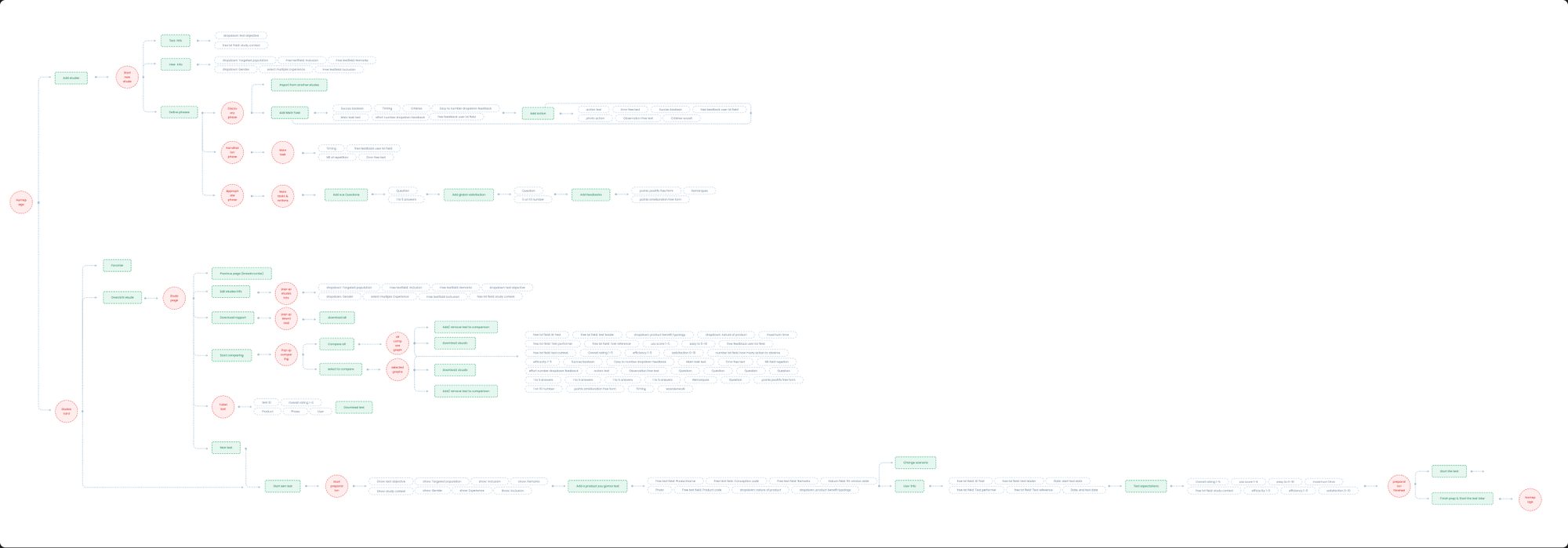
| Step | What the test leader does |
|---|---|
| 1. Create a study | Objective, context, target population, inclusion and exclusion criteria, and which phases to test |
| 2. Prepare the test | Add the products, define the main tasks and actions, the questions and the expectations. Reuse the set-up of another product. |
| 3. Run the test | Add the tester, check everything, then go through each phase: time each task, note errors and observations, mark success criteria, ask how easy and satisfying it was |
| 4. Analyse | See all results of one product: time, success rate, ease, effort, satisfaction, SUS score and a word cloud of feedback |
| 5. Compare and export | Pick products side by side and export the comparison or a report |
Low fidelity
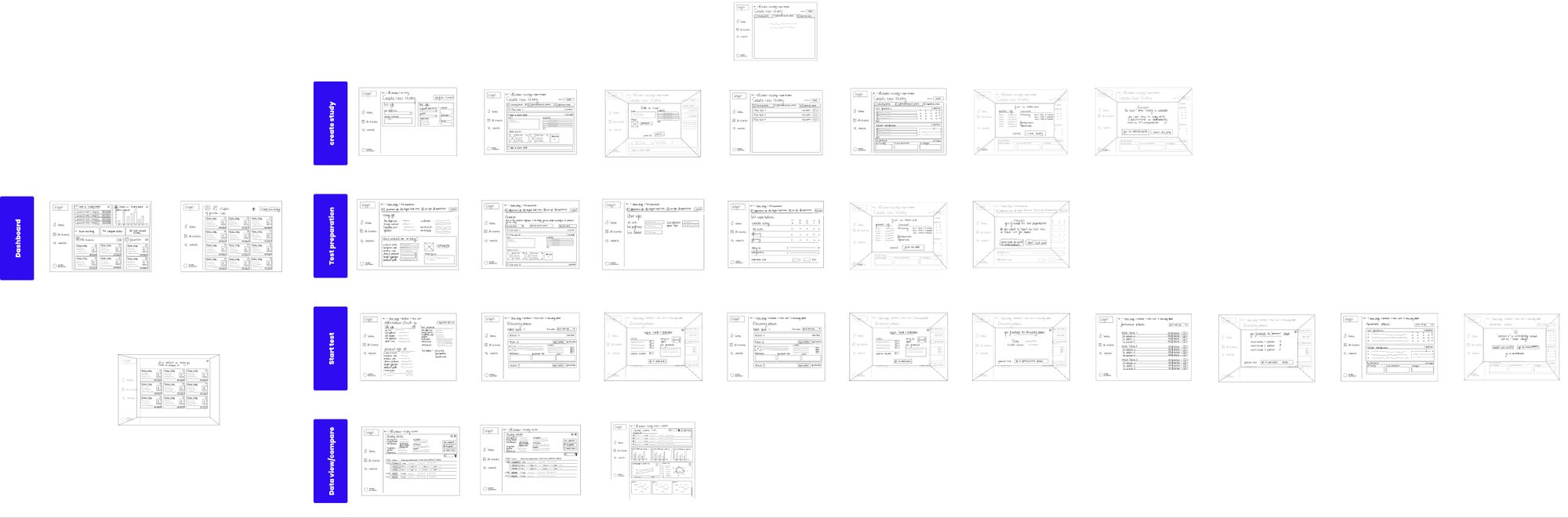
We sketched every screen in grey boxes, grouped by step: dashboard, create study, test preparation, start test, and data view and compare. Cheap to change, so we could rework the structure before any visual design.
The design
A calm interface for busy moments: lots of white space, one blue for actions, and the same layout on every page. A side menu with only three items: dashboard, all studies and search.
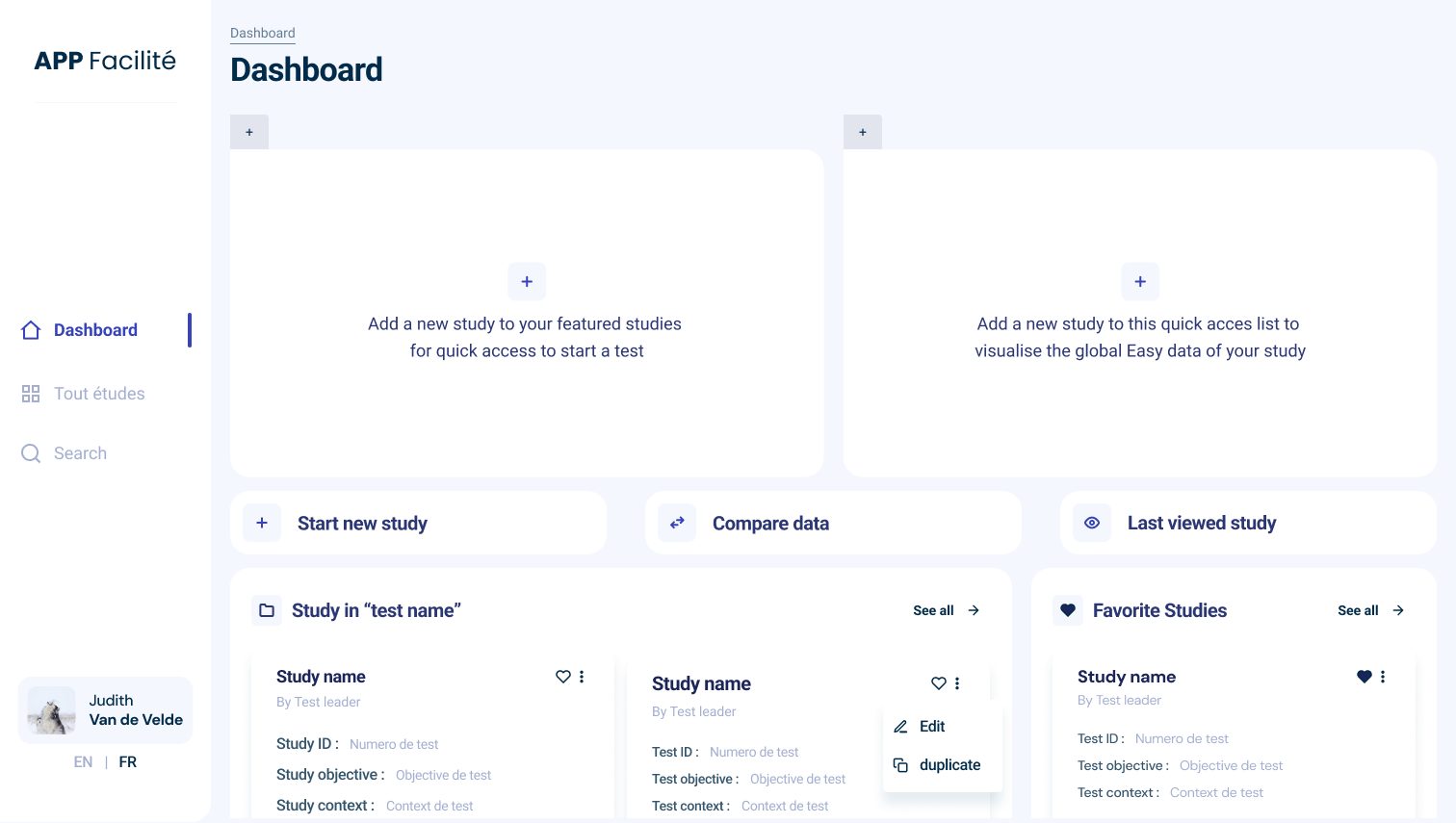
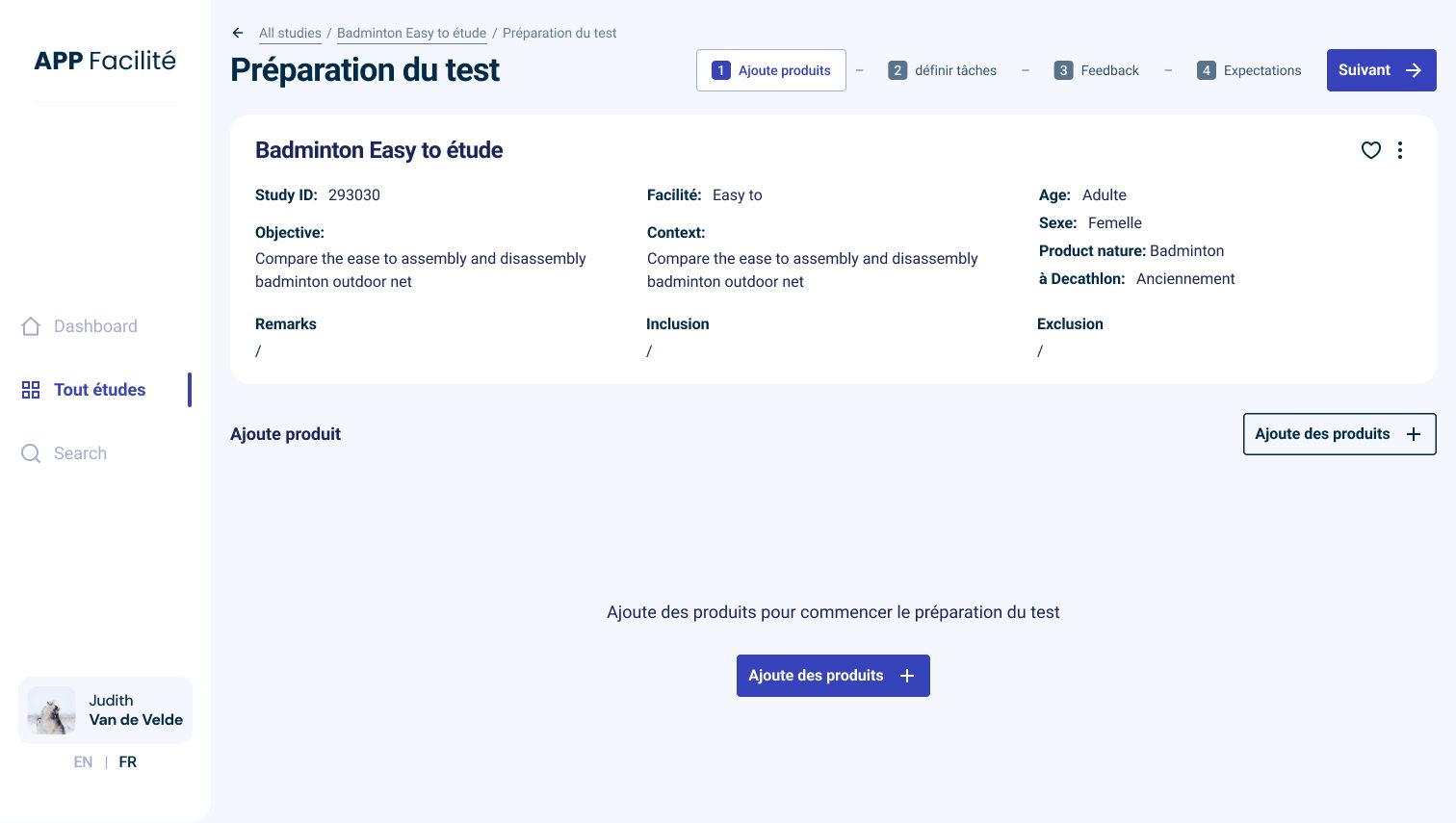
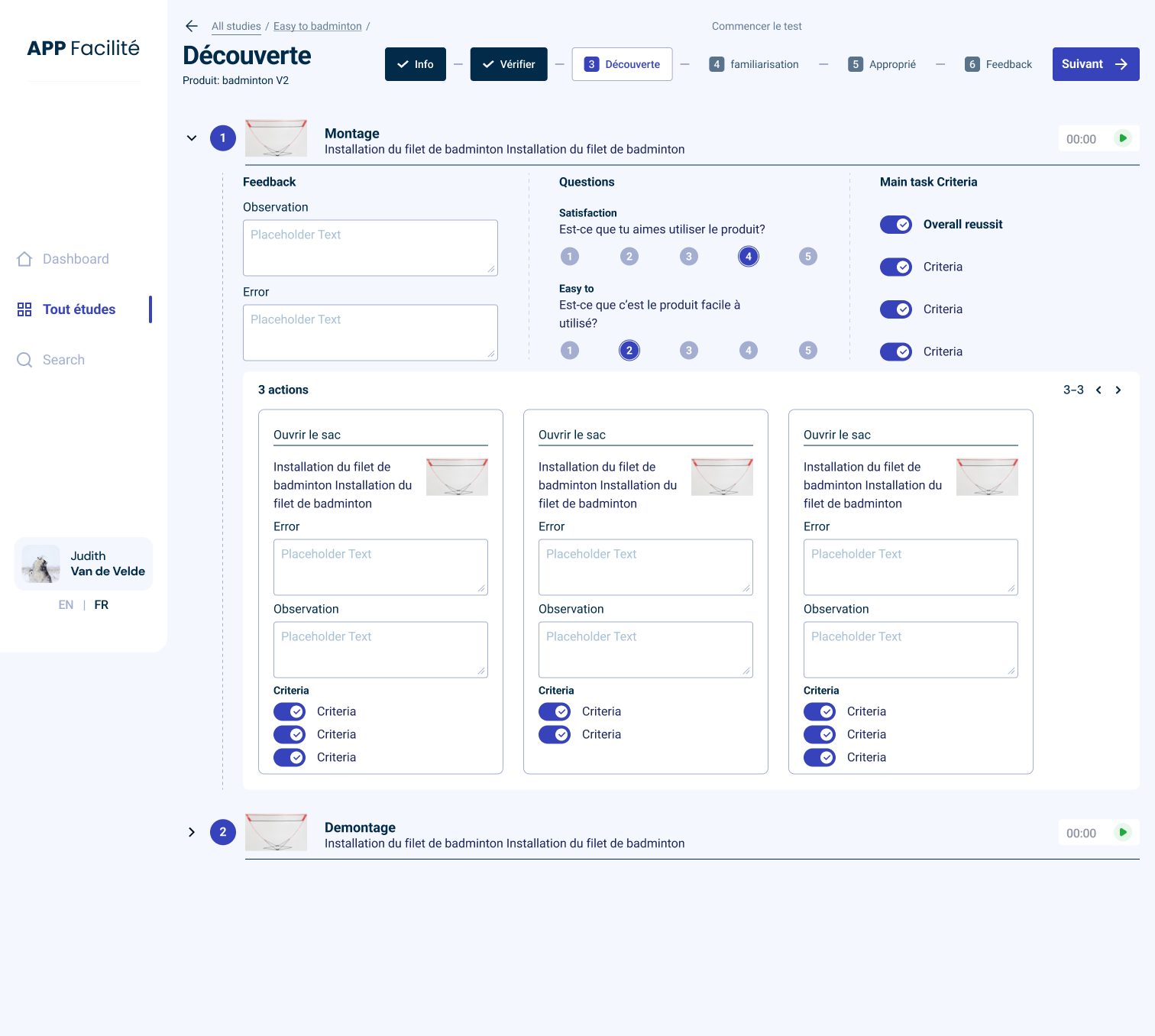
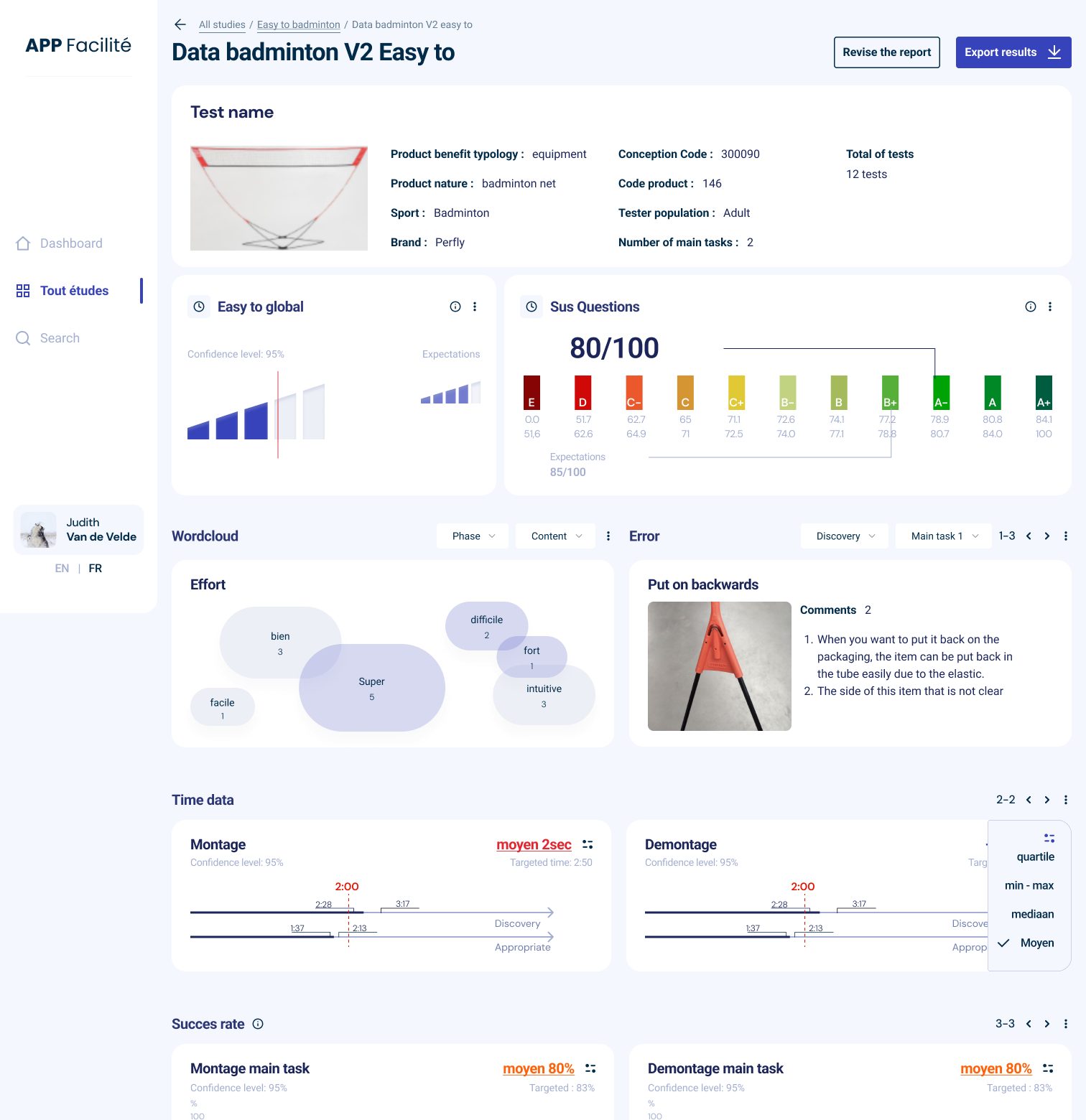
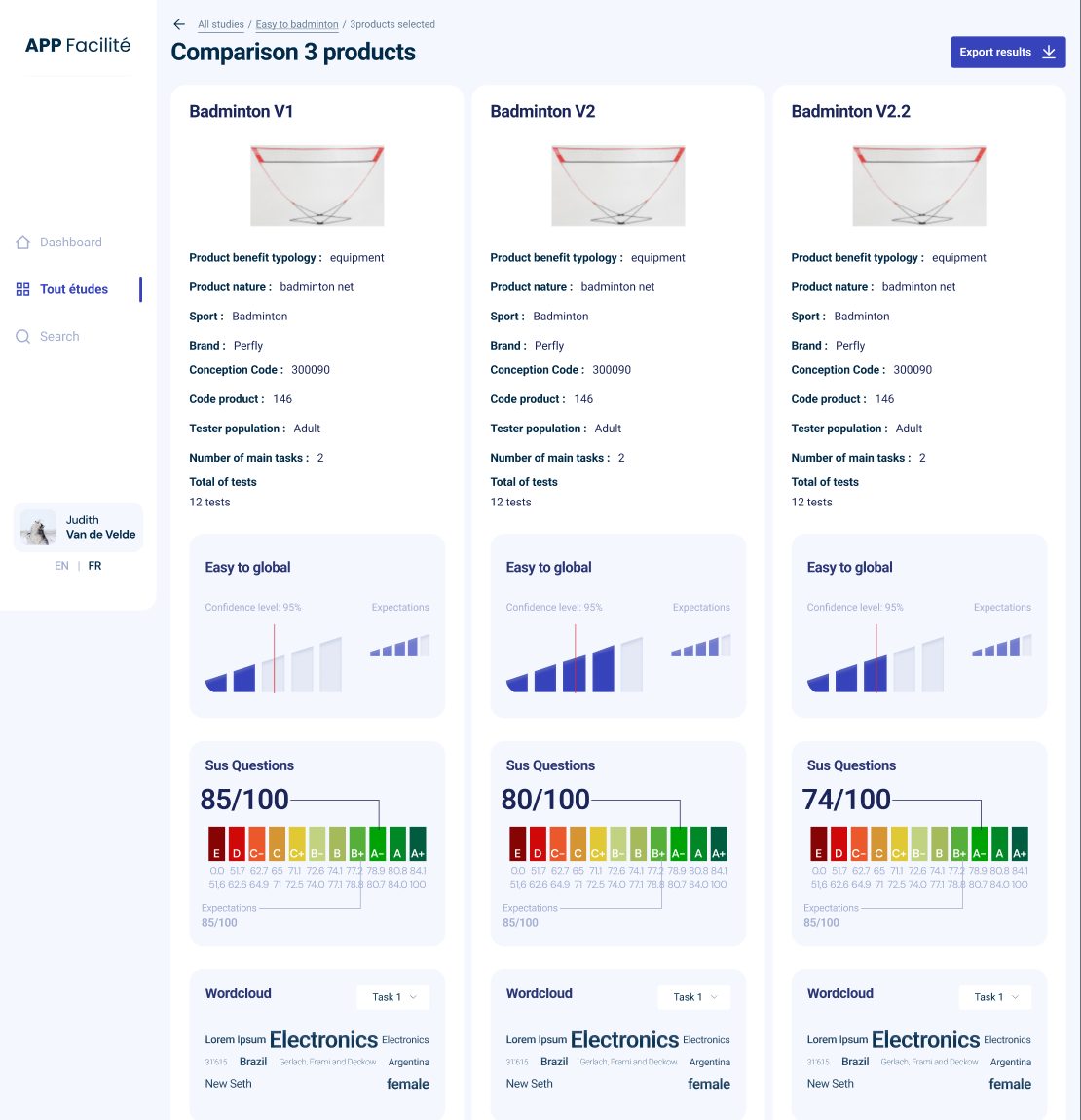
- A stepper everywhere. You always see where you are in the preparation or the test, and what comes next.
- Reuse instead of retyping. Copy the tasks of one product to the next, and duplicate a study.
- Every chart shows its target. Expected values and the confidence level sit next to the result, so you see at once if a product does well.
- French and English. One switch, at the bottom of the menu.
As an internal tool it did not have to meet WCAG, but we did design for accessibility. Above all, the tool had to be very clear for the engineers who test products. We tested names, placement, colours, chart colours and error messages several times. The hardest part was the balance: enough data on one screen, without it feeling overwhelming.
Testing and version 2
We tested the high fidelity prototype with a task-based scenario that runs through the whole tool: create a study, add products, define tasks and actions, prepare and start a test, go through the phases, finish, add studies to the dashboard, open a report, and compare three products. More than fifty steps in total.
| Who | The whole Decathlon test team that uses the tool, around 20 people. We also added people who did not know the project. They still had to get through every step without help, so we knew the tool is intuitive. |
|---|---|
| How | A clickable prototype and a step-by-step task scenario |
| What we learned | Every tester is different and works with different products, and some products have properties others don’t. So we heard “we don’t need this” and “we miss this”. Some people found it too much information, even though others needed it. |
| What changed in version 2 | Personal settings and favourite products, so people don’t have to go through every step. Someone who works with one product gets an interface built around that product; others see the whole catalogue. |
Results
Decathlon received a complete, tested design for the tool. The tool is now built and used by the test team. Testing runs more smoothly, the pain points of a product show up clearly, and you see the difference between version 1 and version 2 of a product at once. In Excel that took digging.
J’ai eu la chance de travailler avec Judith pour le développement d’une interface simple et accessible pour une application pourtant complexe. C’était l’input numéro 1 et c’est réussi ! Judith c’est beaucoup d’écoute et de belles propositions, bravo !
“I had the chance to work with Judith on a simple, accessible interface for an application that is complex. That was the number one goal, and it worked! Judith listens a lot and makes great proposals. Bravo!”
Deliverables
- User journey, two versions
- User flow
- Field list per screen
- Low fidelity, two versions
- High fidelity design
- Task-based test scenario
- High fidelity version 2
- Component kit
- Mock-ups for presentation
- Time tracking per task
What we learned
Complex applications and flows make interface design really interesting. They push us to think out of the box and to come up with solutions the design world does not know yet.
An internal tool that slows your team down?
We map how your people really work, and design the tool around it. Then we test it with them.
Send a message